Layers, blocks & references
How a drawing is organized — layers, linetypes and lineweights, block definitions and attributes, external references, hatching, groups and WBLOCK.
Layers#
A layer carries: id, name, colour, linetype, lineweight, on/off, frozen/thawed, locked/unlocked, plottable, and the name of the plot style its objects plot with.
| State | Visible | Selectable | Plotted | Regenerated |
|---|---|---|---|---|
| On, thawed | yes | yes | if plottable | yes |
| Off | no | no | no | yes |
| Frozen | no | no | no | no |
| Locked | yes | no | if plottable | yes |
Locked is the state worth understanding: geometry stays visible so you can snap to it and trace off it, but it cannot be picked, and a crossing window dragged across it does not quietly grab it.
Colour, and ByBackground#
An entity's colour may be a literal, or ByLayer, or ByBlock. A layer's colour may additionally be ByBackground — the traditional colour 7 — which reads white on the dark model canvas and black on paper. Layer 0 and every new layer get it.
Only the default is background-aware, and that is deliberate. A colour a drafter chose stays literal on every surface; a luminance rule applied to every colour would be the renderer second-guessing a decision, and it would darken the hatch somebody deliberately made faint.
Drawings saved before
.amdrformat 2 could hold a literal light grey on layer 0, which plotted almost invisibly on a white sheet. Loading a format-1 file converts layer 0's colour toByBackgroundif and only if it still holds that exact original default — a drafter who opened the colour picker made a decision, and a migration must not read a decision as a default.
The Layers panel#
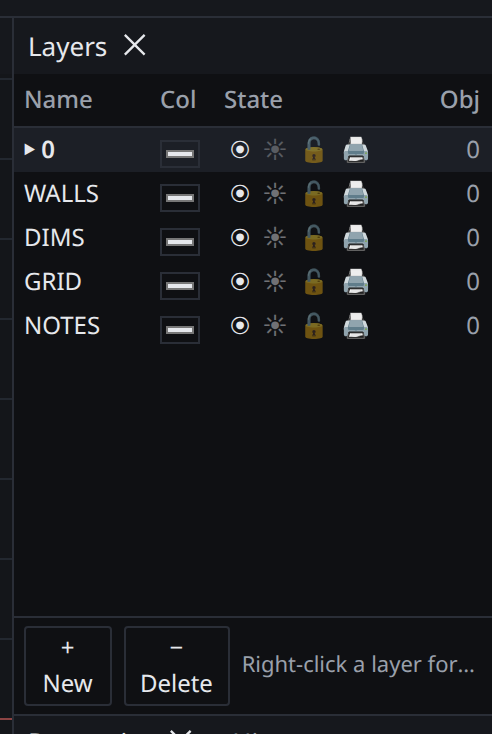
Add, delete, rename, and toggle each state. Renaming is inline. The object count is live, which makes it the quickest way to find the layer something is actually on. The panel is where ByBackground is set or restored, because a colour input cannot represent it and one click in a colour picker would otherwise replace it with a literal that no gesture in the picker could undo.
Deleting a layer that still has objects on it is refused rather than silently moving them, and layer 0 cannot be deleted.
Linetypes and lineweights#
Linetypes are dash patterns — continuous, dashed, centre, phantom, hidden and so on. A global LTSCALE scales every pattern; a per-entity scale multiplies it. Draft's internal definitions are its own, but .lin import is supported so a firm can bring its office standards in.
Lineweights are screen-space widths, distinct from a polyline's global width, which is a world-space width that scales with zoom. Lineweight display can be toggled; on paper, lineweights plot as real stroke widths in points.
Blocks#
A block definition is a named template: a base point plus a set of entities. A block reference is an instance — a pointer to the definition, an insertion point, a rotation, and a scale factor. Placing a block does not copy its geometry.
Scale is uniform. A non-uniform scale turns every circle in a definition into an ellipse, and storing per-axis factors that the kernel cannot honour would be worse than the narrowing.
Nesting. Definitions may contain references to other definitions, to any depth. A definition may never contain itself, directly or transitively; this is refused when the definition is stored, so a drawing can never hold a cycle and a save can never write one out.
ByBlock. An entity inside a definition may set a property to ByBlock, in which case it inherits from the reference that placed it rather than from a layer.
Attributes are text fields whose value is per-instance: the geometry is shared, but a room-tag block's number differs at every insertion. An attribute definition is a text entity that carries a tag, so everything that is true of text — style, height, rotation, alignment, background mask, annotative scaling, grips, DXF, plotting — is true of an attribute for free. The values live on the reference, keyed by tag.
Attribute substitution happens in the one walk that rendering, bounds, hit-testing, crossing selection, snapping and plotting all share, so a room number is the same number in all six and they cannot disagree.
EXPLODE goes one level down: a reference becomes its definition's entities, and nested references stay references.
External references (XREF)#
An external reference attaches another drawing without copying it. The host stores a path, an insertion point, a scale and a rotation; the referenced file stays the authority on its own contents.
- Attach vs overlay. An attached xref is carried into a drawing that references this one; an overlay is not, which is what stops circular reference chains from multiplying.
- Reload, unload, detach and bind. Bind converts the reference into local blocks, which is how a drawing is made self-contained for issue.
- Layers. An xref's layers appear in the host prefixed with the reference name, and their visibility can be controlled from the host without editing the referenced file.
- The dependency list is cheap to read. Opening a drawing does not require resolving its references first — you can see what a file needs before you have it.
Missing references are reported by name and path rather than silently dropped.
Hatching#
HATCH fills a boundary with a pattern or a solid.
- Boundary detection picks an internal point and traces the enclosing loop from the visible geometry.
- Islands — closed regions inside the boundary — are handled by an island detection style: normal (alternating), outer, or ignore. On paper, an island is cut as a hole rather than filled over, so what is behind it shows through.
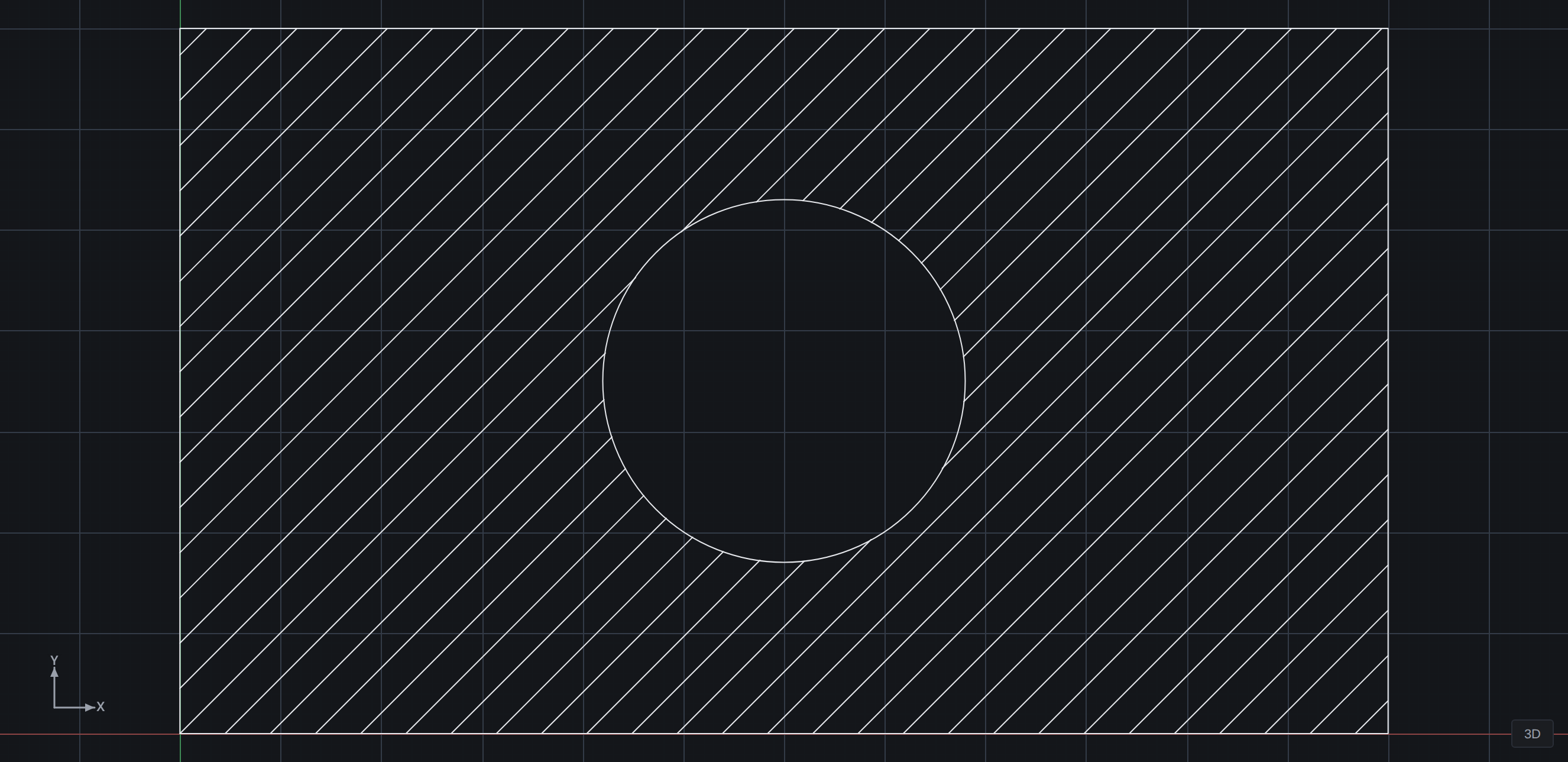
- Associativity. A hatch tracks its boundary; edit the boundary geometry and the fill regenerates.
- Pattern scale and angle are per-hatch, and
.patimport brings office pattern libraries in.
Groups#
GROUP gives a set of entities a name and makes them select as one. Groups can be toggled off so a member can be edited without dissolving the group, and membership travels with the drawing. Unlike a block, a group is not a definition and an instance — the entities are still themselves, just tied together.
WBLOCK#
WBLOCK writes a selection, a block definition, or the entire drawing out to a new .amdr file. It is the export half of the block workflow: build something once, write it out, insert it anywhere.